
How to Buy an iPhone 15 Pro: A Complete Buying Guide
The iPhone 15 Pro is one of Apple’s most advanced smartphones, offering premium design, powerful performance, and professional-grade camera capabilities. Built with a lightweight titanium frame, powered by the A17 Pro chip, and equipped with a versatile camera system, it is an excellent choice for users who want a flagship smartphone for work,y entertainment, gaming, and photograph. Apple introduced the iPhone 15 Pro with features such as USB-C connectivity, the customizable Action Button, and improved battery efficiency, making it a significant upgrade over previous generations.
However, buying an iPhone 15 Pro requires careful planning. Since it is a premium device, understanding your needs, choosing the right storage capacity, selecting a trusted seller, and checking warranty options can help you make the best purchase. This guide explains everything you need to know before buying an iPhone 15 Pro.
Understand Your Requirements
Before purchasing an iPhone 15 Pro, consider why you need it. Different users have different priorities.
If you mainly use your phone for calling, messaging, and social media, the iPhone 15 Pro may offer more power than you need. However, if you enjoy photography, video recording, gaming, or professional work, its advanced processor and camera system make it an excellent investment.
Students can benefit from its long software support and productivity features, while professionals can use its powerful processor for editing videos, managing business tasks, and creating content.
Choose the Right Storage Capacity
Apple offers the iPhone 15 Pro in several storage options:
- 128GB
- 256GB
- 512GB
- 1TB
The 128GB model is suitable for users who primarily store apps and photos in cloud services.
The 256GB model is ideal for most users because it provides enough space for photos, videos, games, and applications.
The 512GB and 1TB versions are best for photographers, filmmakers, and professionals who regularly record high-resolution videos and store large files.
Choosing the right storage from the beginning is important because the iPhone does not support expandable storage through memory cards.
Compare Prices
Prices can vary depending on where you buy the phone. Before making your purchase, compare prices from:
- Apple’s official online store
- Authorized Apple resellers
- Trusted electronics retailers
- Mobile network providers
- Online shopping platforms
During festive sales, special promotions, exchange offers, and bank discounts, you may find significant savings. Compare all available offers before making a decision.
Buy from a Trusted Seller
Always purchase your iPhone from an authorized retailer or a trusted seller.
Buying from official sources provides several benefits:
- Genuine Apple product
- Manufacturer warranty
- Easy returns
- Reliable customer support
- Authentic accessories
Avoid purchasing from unknown sellers offering unusually low prices, as the device may be refurbished, counterfeit, or imported without proper warranty coverage.
Decide Between New and Refurbished
If your budget is limited, you may also consider buying a certified refurbished iPhone.
A refurbished iPhone has usually been inspected, repaired if necessary, tested, and restored to proper working condition.
Benefits include:
- Lower price
- Quality testing
- Warranty from certified sellers
- Better value for money
However, always verify the warranty and the condition of the device before purchasing.
Check the Specifications
Before buying, make sure the phone includes the features you want.
Important highlights include:
- Titanium body
- A17 Pro chip
- 48MP main camera
- ProMotion 120Hz display
- USB-C charging
- Action Button
- Dynamic Island
- Face ID
- 5G connectivity
- Water and dust resistance
These features make the iPhone 15 Pro suitable for demanding users who expect top-level performance.
Verify the Warranty
Warranty protection is important for expensive smartphones.
Before purchasing:
- Confirm the warranty period.
- Verify whether international warranty is available in your region.
- Check whether AppleCare+ can be added for additional protection.
Keeping your purchase invoice is also recommended for future service claims.
Look for Exchange Offers
Many retailers allow customers to exchange their old smartphones for discounts on a new iPhone.
Exchange programs can significantly reduce the final purchase price, especially if your old phone is in good condition.
Before accepting an exchange offer:
- Compare values from different retailers.
- Back up your data.
- Erase all personal information.
- Remove your Apple ID from the old device.
Check Payment Options
Many stores provide flexible payment methods, including:
- Credit cards
- Debit cards
- EMI (installment plans)
- Digital wallets
- Bank financing
Interest-free installment options can make purchasing a premium smartphone more affordable.
Inspect the Device Before Buying
If purchasing from a physical store, inspect the phone carefully.
Check:
- Screen condition
- Camera quality
- Buttons
- Speakers
- Charging port
- Packaging
- IMEI number
- Serial number
Make sure the packaging is sealed and includes all standard accessories.
Verify Authenticity
To ensure your iPhone is genuine:
- Check the serial number.
- Verify the IMEI.
- Confirm warranty status.
- Ensure the software activates normally.
Never buy a phone with activation locks or missing documentation.
Understand What Comes in the Box
The iPhone 15 Pro package typically includes:
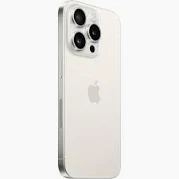
- iPhone 15 Pro
- USB-C charging cable
- Documentation
Apple no longer includes a charging adapter or EarPods in the box, so you may need to purchase those separately if you do not already own compatible accessories.
Buy Essential Accessories
After purchasing your iPhone, consider buying accessories such as:
- Protective case
- Screen protector
- USB-C power adapter
- MagSafe charger
- Wireless earbuds
- Power bank
Quality accessories help protect your investment and improve the user experience.
Transfer Your Data
Moving from another smartphone is straightforward.
Apple provides tools that allow you to transfer:
- Contacts
- Photos
- Videos
- Messages
- Apps
- Settings
Backing up your previous device before the transfer is always recommended.
Set Up Your New iPhone
Once your iPhone arrives:
- Insert your SIM or activate eSIM if supported.
- Connect to Wi-Fi.
- Sign in with your Apple Account.
- Enable Face ID.
- Set a passcode.
- Restore your backup if needed.
- Update to the latest version of iOS.
Completing these steps ensures your phone is secure and ready for use.
Protect Your Investment
A premium smartphone deserves proper care.
You can extend its lifespan by:
- Using a protective case.
- Applying a tempered glass screen protector.
- Keeping software updated.
- Avoiding extreme temperatures.
- Using genuine charging accessories.
- Cleaning the charging port regularly.
These habits help maintain performance and reduce repair costs.
Conclusion
Buying an iPhone 15 Pro is a significant investment, but careful planning can help you make the right choice. Start by determining your needs, selecting the appropriate storage capacity, comparing prices from trusted sellers, and checking warranty coverage. Take advantage of exchange offers, financing options, and seasonal discounts whenever possible.
Once you own the device, protect it with quality accessories, keep it updated, and use Apple’s built-in security features to safeguard your data. With its premium titanium design, powerful A17 Pro chip, advanced cameras, and long-term software support, the iPhone 15 Pro remains an excellent choice for users seeking performance, reliability, and a premium smartphone experience.